

Apr 14, 2026 — WPN 101, Benefits
Bring Players Back for Their Next Event with Magic Companion App's Favorite Store Feature
Invite your community to stay up to date with your store's events and information by adding your store to their Magic Companion app favorites!
The biggest events in a season, such as Prerelease and Commander Party, are the perfect moments to help players stay connected to your store and plan for upcoming events, and they can do both through the Magic Companion app.
The favorite store feature allows players to designate your store as a favorite in Companion as part of their player profile. This allows players to easily find upcoming events your store has scheduled in Wizards EventLink. It also supports future WPN tools to enable you to stay connected with your community and keep your players informed.
How a Player Designates a Favorite Store
Players are already using Magic Companion to join your events, report their results, and find their next round's opponent. While they're using it, ask them to favorite your store. That quick action helps players find your store and upcoming events more easily later, and it's as simple as asking them at the start of an event, for example:
"Since you're already in Companion for today's event, take a few seconds to favorite our store. Open Companion, tap Locator at the bottom, search for our store, and tap the heart. That makes it easy to see and hear about our upcoming events!"
Here are the full instructions for players:
- Ensure they're signed into Companion with their Wizards Account. (If they used Companion to join your event, they already are!)
- Tap the Locator tab at the bottom of the profile page.
- Search by store name or location.
- Tap the heart icon to favorite the store.
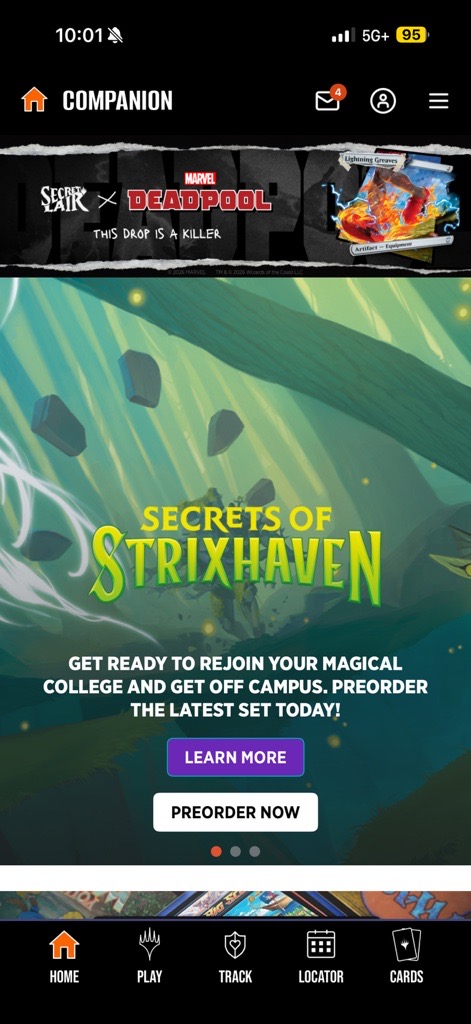
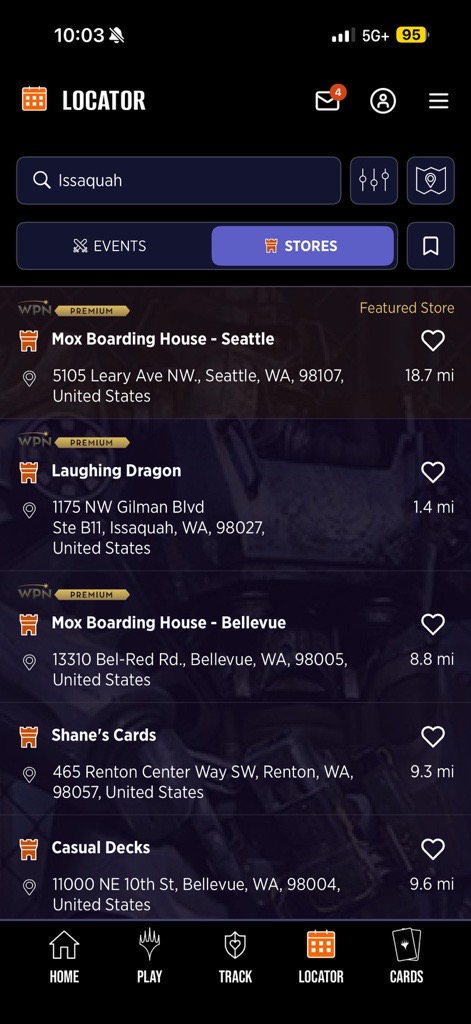
Where Asking Fits into Event Flow
A great reminder moment is after players have joined your event and before round one begins. Players already have Companion open, are seated or waiting to start, and staff can explain it in one sentence.
You can also remind at other times during events, such as:
- Between rounds for players who missed it
- At your point-of-sale checkout
- While distributing event prizes as players finish
- When talking about your next Magic or D&D event
Keep the Ask Focused
Having players favorite your store helps you share future events and keep them notified when important ones are happening. This isn't a newsletter or daily update, but rather a way for players to choose to receive future information about events in your store.
Quick Questions and Answers
Why should a player favorite a store?
Players who favorite your store have easy access to your store's upcoming events in Companion and can receive notifications about your store in the future. Favoriting helps players stay informed about where they play.
Does favoriting a store share players' private information with that store?
No. Wizards retains player profile information, including play history, favorite stores, and inbox. The information in Companion, including the email address, is private to the player.
Does a player have to receive app notifications or emails to favorite a store?
No. When a player creates a Wizards Account or signs into Companion for the first time, they choose their notification preferences. They can also update their notification preferences later to enable or disable them. Players will find inbox messages waiting and can view their favorite stores to check upcoming events anytime by opening Companion.
Does a player need to share their location data with Companion to search for stores in Locator?
No. Searching by directly entering a store name, city, or address does not require sharing location data. It is required to be able to use the Current Location search option.
Can players favorite more than one store?
Yes! If a player likes to play at multiple stores they don't have to choose just one.
Should staff spend a lot of time on this during the event?
No. Keep the ask to players short, optional, and as easy as a ten-second ask to support your store while they are already in Companion. Staff can do this at the beginning of an event, such as during a Prerelease while distributing product and instructing players.
Posting a flyer visible to players or adding the instructions to table tents is a great way to add reminders and drive awareness without taking time during busy events.
Are there WPN metrics tied to players favoriting a store?
There are no metrics or store performance measures based on asking players to favorite your store. However, having your community of players take the steps to favorite your store allows events and other store information to be shared with them in the future, which supports your store's growth.